Change the configuration, create access codes, check the firmware: with the ESENTA Cloud Portal you open your door intercom's web interface from anywhere, directly in the browser. No VPN, no port forwarding and no on-site visit.
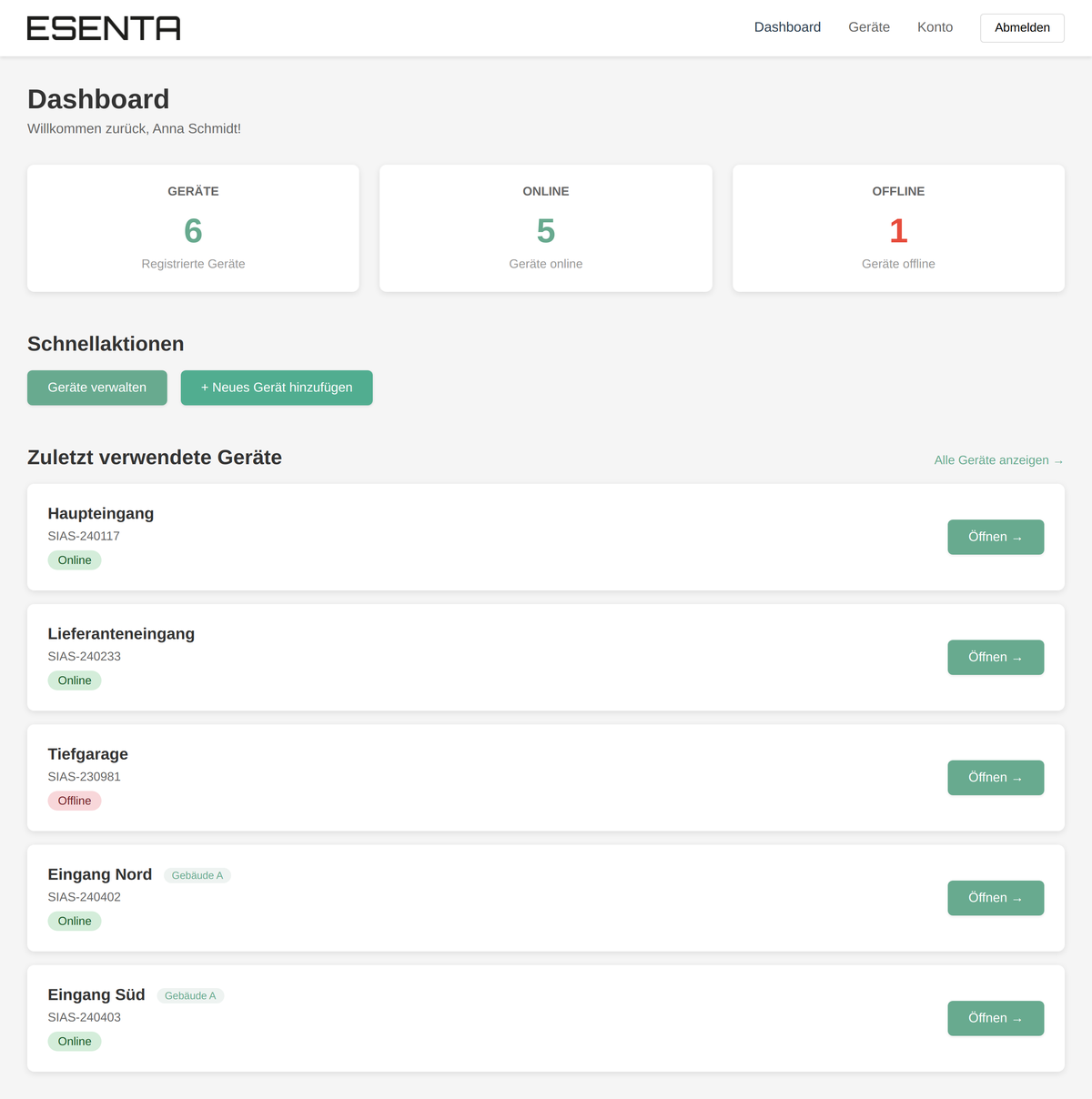
Every ESENTA SIAS has its own device token. You use it to register once at portal.esenta.de and add your units to your account. The portal shows each device's online status and last contact.
One click on "Open" establishes a secure connection to the unit, and the familiar web interface appears directly in the portal. You sign in there as usual and operate the unit just as you would on site, from the doorbell panel to the relay configuration.
Setup takes only a few minutes; you will find the step-by-step guide with all details under Using the ESENTA Cloud Portal.
The unit establishes the connection to the portal itself. Nothing needs to be opened or configured on the customer's router; an ordinary internet connection is all it takes.
Device groups organise many units by building or customer, and the dashboard instantly shows which ones are online. Ideal for installers and property managers looking after several sites.
Access is only possible for someone who knows the unit's device token and additionally signs in on the unit itself. The portal connection can be disabled on the device at any time.
An up-to-date browser and your unit's device token. The token is shown in the SIAS web interface under Cloud → General; you use it to register your account at portal.esenta.de. The unit must be connected to the internet.
No, using the Cloud Portal is currently free of charge.
Yes, that is exactly what it is made for. All managed units live in one account, can be organised into groups by customer or building, and the dashboard shows at a glance which devices are offline. Configuration changes are done in the browser instead of a site visit.
Yes. Remote access is an optional feature: the portal connection is activated in the unit's web interface and can be switched off there again at any time. If you run your system entirely locally, you simply do without it.
Get advice from a specialist partner or take a look at the outdoor stations.
View door intercoms